

FOTILE
FOTILE Mini Program Revamp
A new homepage hierarchy, clearer shortcuts, and coordinated light and dark themes.
- Client
- FOTILE's mini program brings together new appliances, buying information, and in-store services.
- Project
- The revamp reorganizes marketing and service entry points and adds product comparison and selection guidance.
Homepage redesign
Product launches alongside everyday services
The homepage serves both product launches and everyday customer needs. The redesign keeps the launch artwork and places shortcuts for products, services, and subsidies just below it. The store cards also provide access to visit bookings.
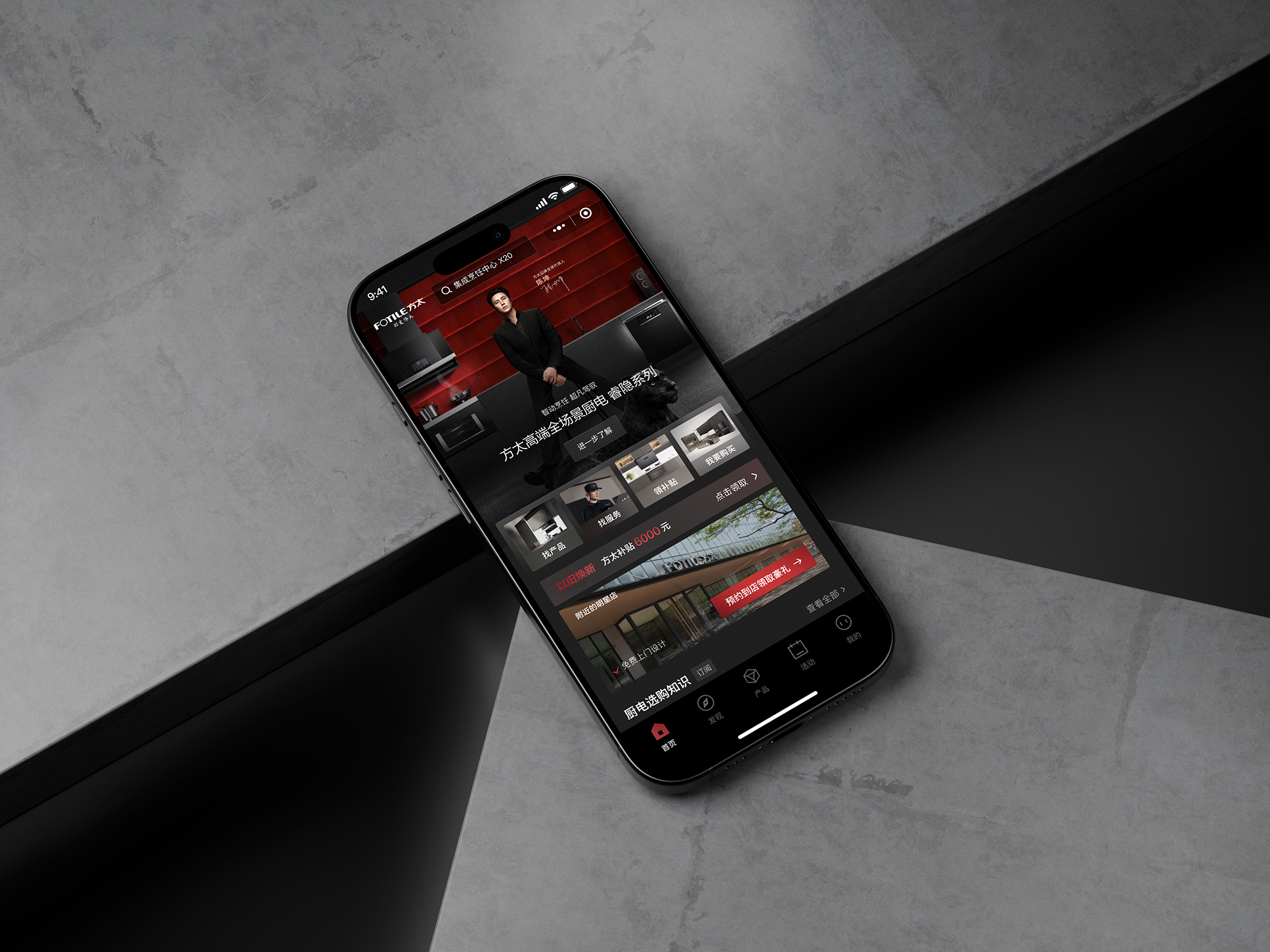
Interface review
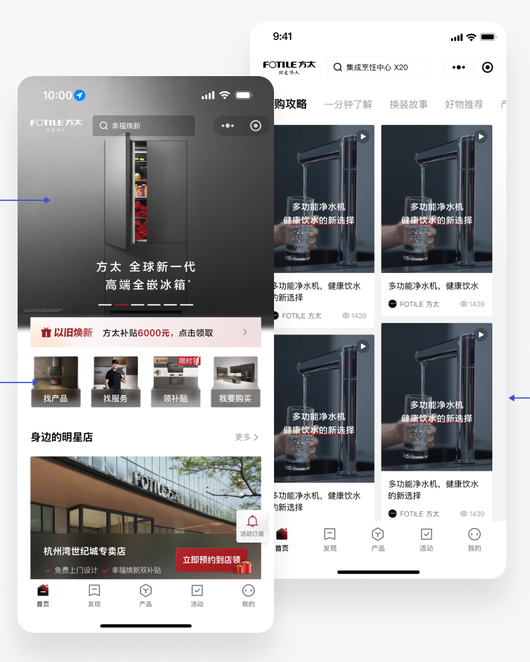
Four common tasks move ahead of the subsidy banner
Shortcuts to find products, find services, claim subsidies, and shop move above the banner. Nearby stores and buying guides remain available for people who want to keep browsing.
Visual design
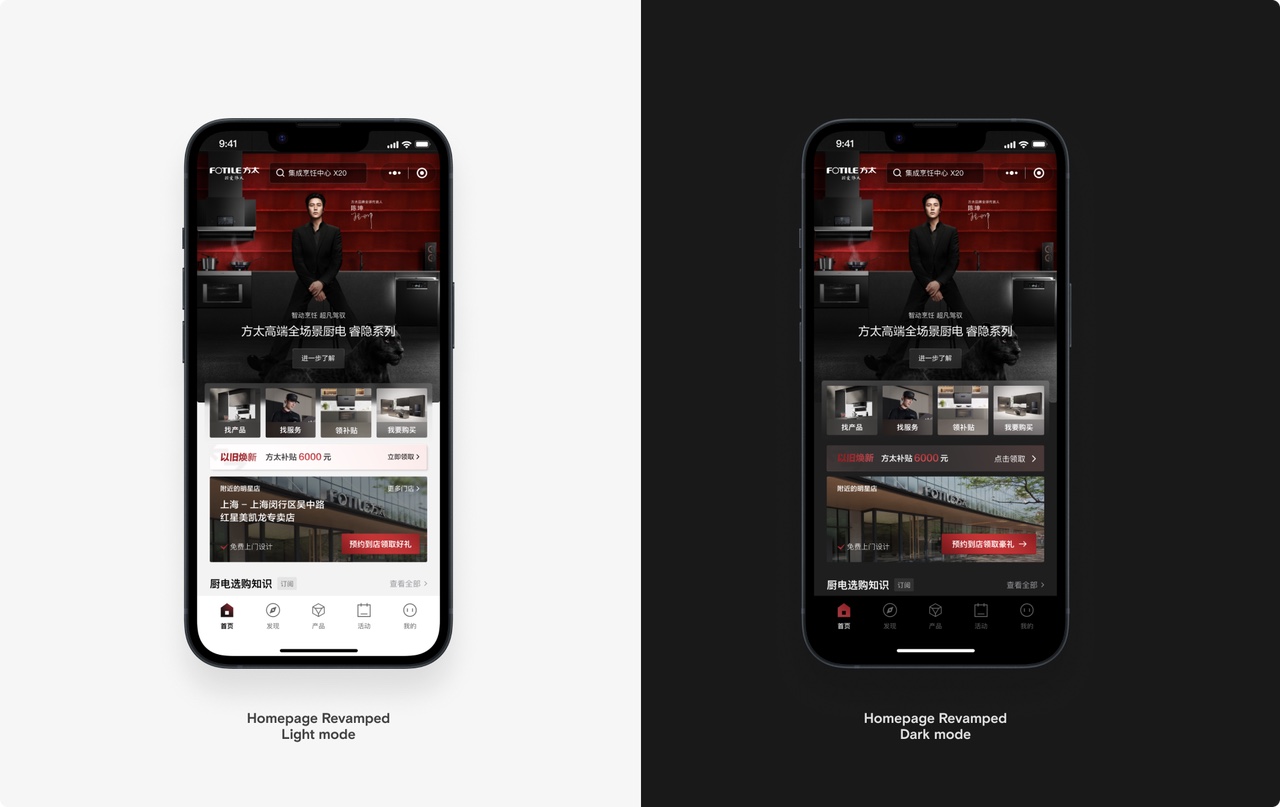
One layout across light and dark themes
Both themes follow the same content order and keep the dark launch artwork. Backgrounds and text contrast are adjusted for each theme across offers, shortcuts, and store information.
Design notes
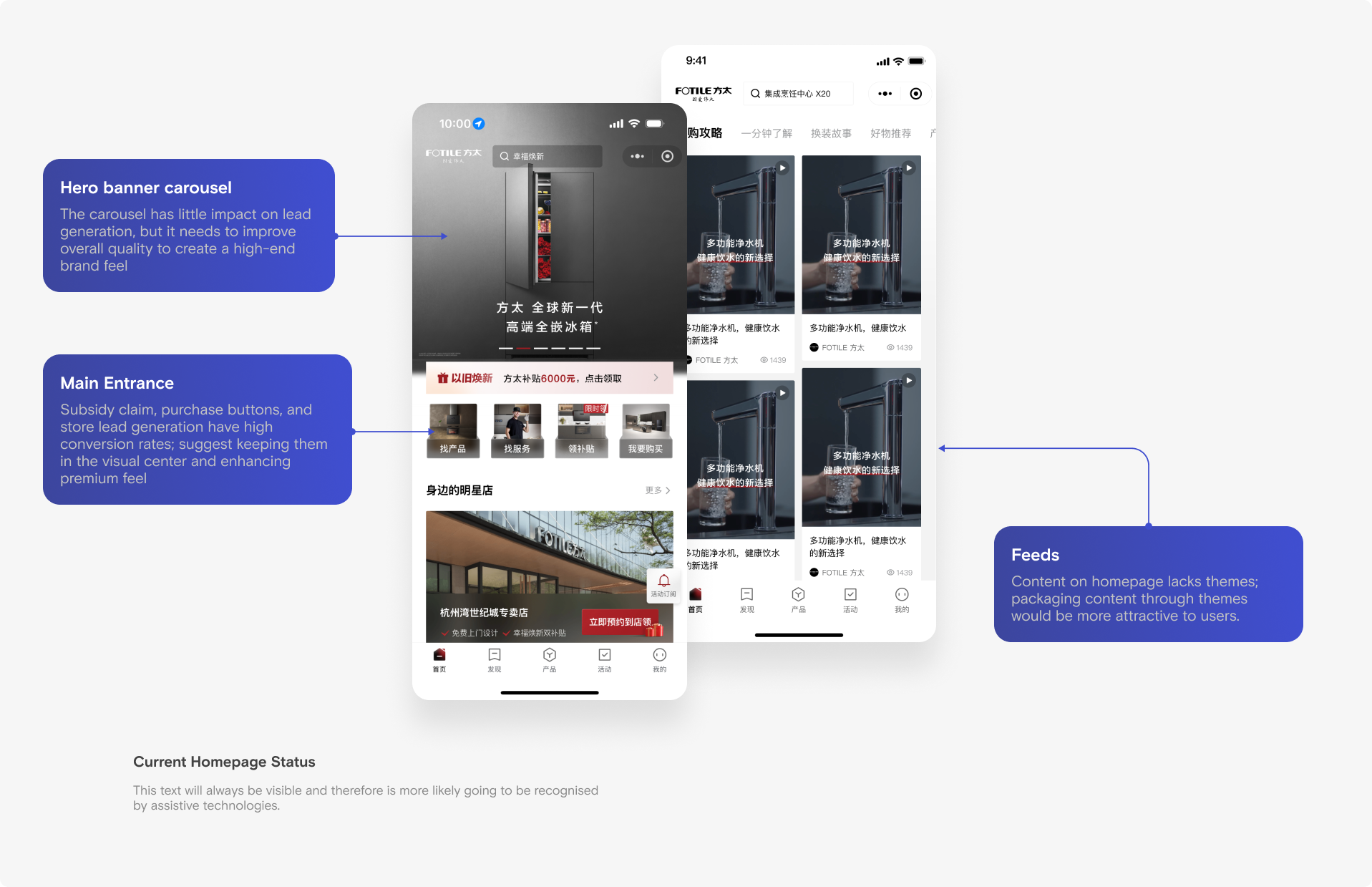
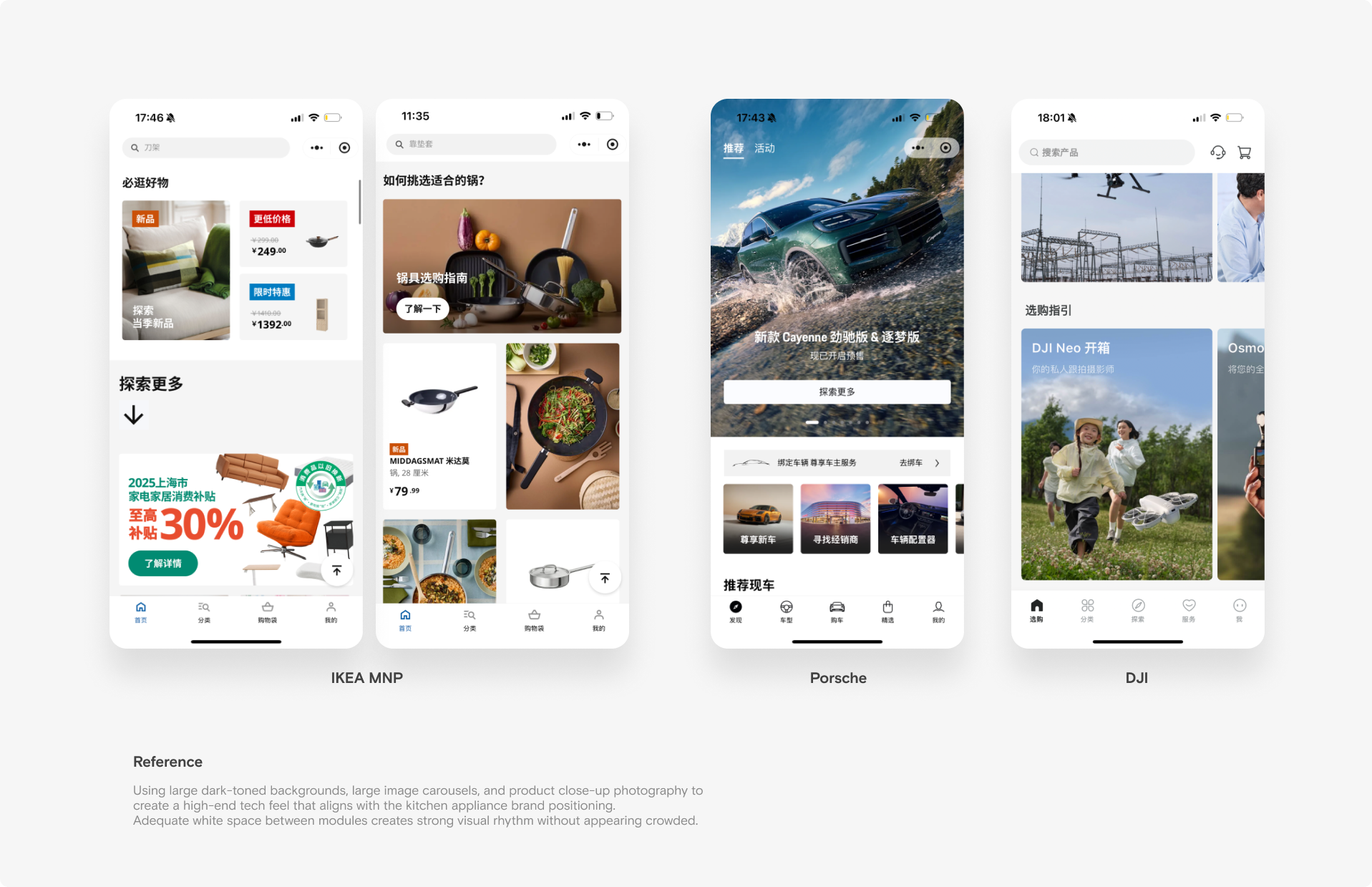
Reorder homepage entry points
Launch imagery and common services share one reading order. Shortcuts cover finding products, finding services, claiming subsidies, and shopping.
Design notes
Use the same hierarchy in both themes
The brand artwork is retained, while offer prompts, shortcuts, and store information change contrast between light and dark themes.
Design notes
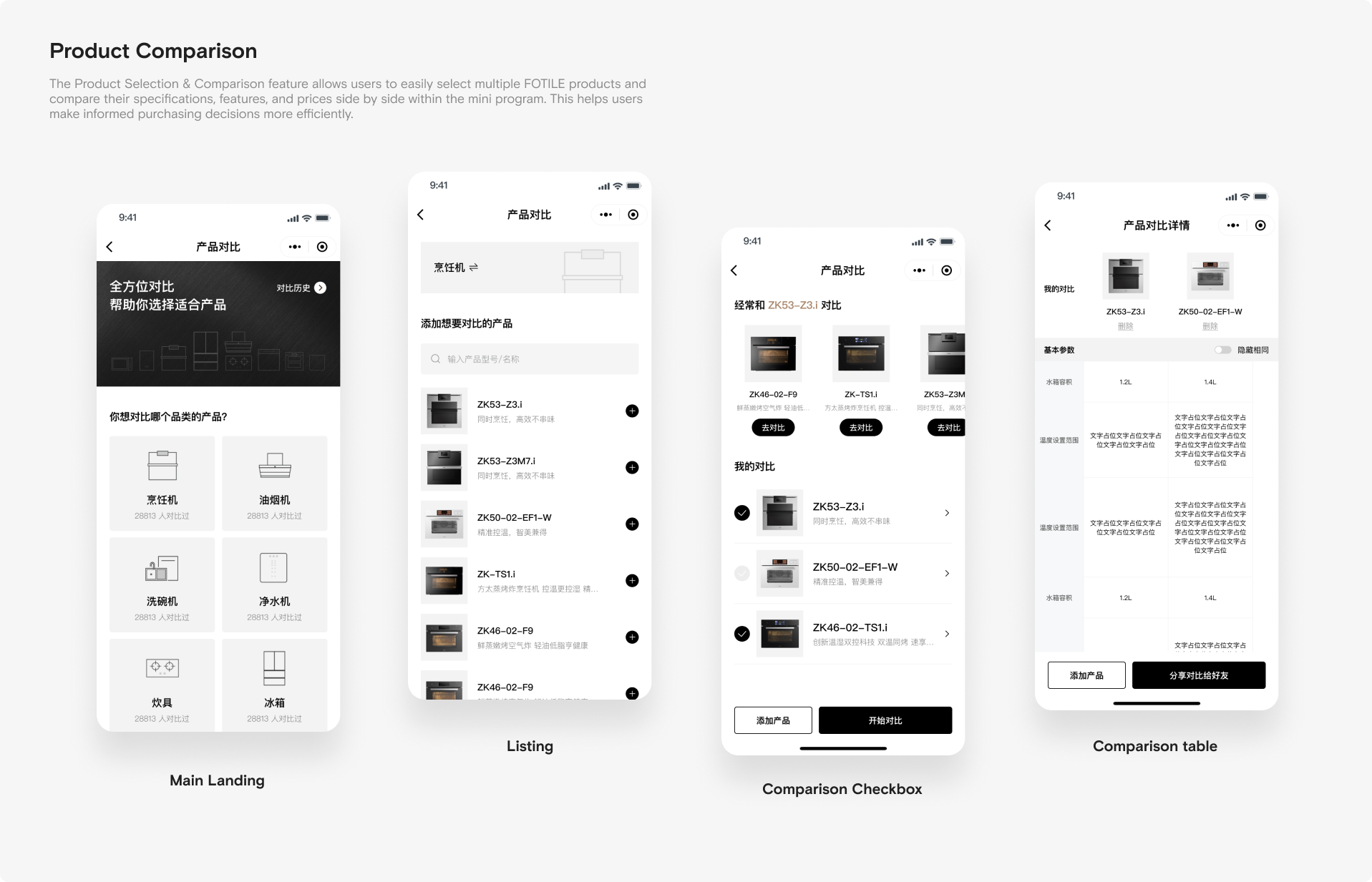
Compare and select
The work presents product comparison alongside selection guidance, so differences can be considered before continuing to a product.
Design archive
Subsidy entry animation
The archived animation shows how the subsidy button behaves over appliance imagery.